
Download 4Weight – Weight Tracker, Health & Fitness, Body Fat, Free Android App
Overview
Key Features & Capabilities
- Weight and Body Fat Tracking – Users can log weight and body fat percentage over time, enabling consistent monitoring of physical changes. This feature is essential for individuals on weight loss or muscle gain programs.
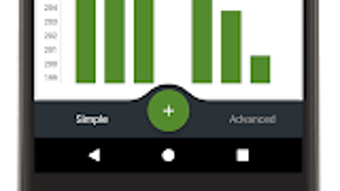
- Progress Visualization with Graphs – The app generates visual graphs to display trends in weight and body fat, helping users identify patterns and stay motivated through measurable progress.
- Simple and Intuitive Interface – Designed for ease of use, the app allows quick data entry with minimal navigation, reducing friction for daily tracking.
- Multi-Language Support – Available in English, German, and Hindi, making it accessible to a broader international audience.
- Offline Functionality – The app operates without requiring a constant internet connection, allowing users to log data anytime, anywhere.
- Privacy-Focused Design – No data sharing or third-party tracking is reported, ensuring user information remains secure and private.
User Interface, Workflow & Performance
The user interface of 4Weight is designed with clarity and minimalism in mind, focusing on essential functions without clutter. Navigation is straightforward, with core features like logging measurements and viewing graphs accessible from the main screen. The workflow is optimized for speed—users can enter weight and body fat data in just a few taps, minimizing time spent on data input. The app’s performance is described as lightweight and fast, with no reported lag or delays, which suggests efficient code execution and low resource consumption. However, the developer did not specify exact performance details, such as CPU or RAM usage. Stability is implied through the absence of reported crashes or errors, though real-world user experiences are not available for verification. The app’s responsiveness is consistent with typical lightweight Android applications, and its design supports smooth interaction across various screen sizes. Overall, the user experience appears to prioritize usability and speed, making it ideal for frequent, daily use. The lack of ads and in-app purchases contributes to a seamless interface, enhancing the overall perception of performance.Compatibility & System Requirements
4Weight – Weight Tracker is compatible with Android 13.0 or higher. The current version of the app is 1.4.600, and it is available for download on Softonic. The installation size was not specified by the developer. The app supports multiple languages, including English, German, and Hindi, which may affect the user interface layout depending on the selected language. The developer did not provide detailed hardware requirements, such as minimum RAM or storage space. Exact system requirements were not listed, so users are advised to ensure their device meets the minimum Android version requirement. Compatibility information is limited to the operating system version, with no mention of tablet or wearable support. Users should verify their device’s Android version before installation. The app is designed as a standalone desktop-like experience on mobile, functioning independently of external services.Pros and Cons
Pros
- Free to download and use with no ads or in-app purchases
- Simple, intuitive interface suitable for all user levels
- Supports multiple languages: English, German, Hindi
- Visual progress graphs for long-term trend analysis
- Offline functionality for uninterrupted tracking
- Privacy-focused with no data sharing or third-party tracking
Cons
- Only available for Android, no support for iOS or desktop platforms
- Exact system requirements and file size not provided
- Limited to weight and body fat tracking; no integration with fitness devices
- No cloud sync or backup feature mentioned
- Developer background and company details not disclosed
FAQ Section
Is 4Weight available for iOS devices?
The app is currently only available for Android. There is no official iOS version mentioned.
Does 4Weight require an internet connection?
The app can function offline, allowing users to log data without an active internet connection. However, some features may require internet access if cloud sync is added in future updates.
Is my data safe and private?
According to the provided information, the app is designed to be secure and private, with no data sharing or third-party tracking reported.
How often should I update the app?
It is recommended to keep the app updated to the latest version (1.4.600) to ensure optimal performance and security. Updates may include bug fixes and feature improvements.
Can I use 4Weight without creating an account?
Yes, the app does not require registration or account creation. All data is stored locally on the device, which enhances privacy but limits cross-device access.





.png)

